
In this guide
- What the loan actually is
- Who can apply
- Rebate vs loan: two separate things
- Filling out the application
- How your income is checked
- Downloading your tax return from myGov
- How the credit check works
- Why Plenti was chosen by government
- Loan term: why 10 years can be smarter
- The internet connection requirement
- Application process & timeline
- FAQs
- Sources
Most guides to the WA Residential Battery Scheme cover the rebate dollar figures and stop there. The interest-free loan that sits alongside it — the part that actually determines whether the upfront cost is manageable — gets a single sentence. This is the detailed version: who actually qualifies, what Plenti looks at, exactly how to find the documents they’ll ask for, and the practical issues (a shed with no WiFi, a lower income year on your tax return) that can trip up an otherwise straightforward application.
What the Loan Actually Is
The no-interest loan is an optional financing component of the WA Residential Battery Scheme, sitting alongside — but separate from — the state rebate. It’s administered by Plenti, an Australian fintech lender holding an Australian Credit Licence, on behalf of the WA Government.
The numbers
- Loan amount: $2,001 to $10,000
- Term: 3 to 10 years, your choice
- Interest: 0%, fixed, for the entire term
- No early repayment fees
- Only a capped late fee if a payment is missed
What it can cover
- The battery itself
- A new or upgraded inverter, if installed with the battery
- Solar panels, only if installed as part of the same battery package
- Not pre-work like switchboard upgrades — these are quoted and paid separately
Who Can Apply
Eligible for the rebate
Australian permanent resident, 18 or older, a Synergy or Horizon Power residential customer in WA, installing an eligible battery (5kWh+ usable) through an accredited vendor, and enrolling in an approved VPP.
Additional requirements for the loan specifically
Household combined gross annual income under $210,000, and you’ll need to meet Plenti’s standard credit assessment — the same kind of check you’d expect for any personal loan.
Generally not eligible
Renters without landlord approval, properties owned by government, financial institution, telco or mining/resources entities, apartments on embedded networks (case by case), and batteries installed before 1 July 2025.
Rebate vs Loan: Two Separate Things
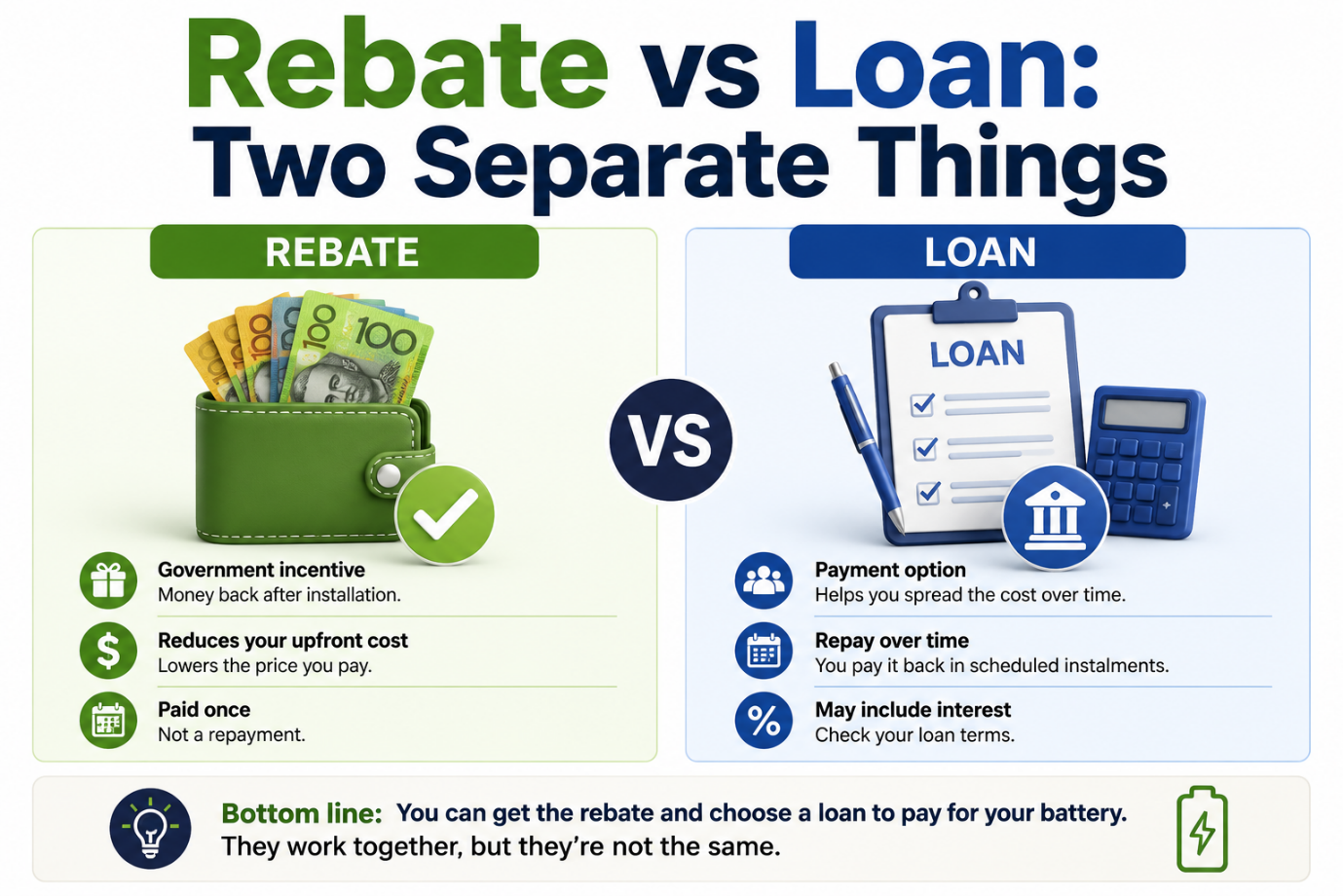
This is the single most common point of confusion, so it’s worth stating plainly: the WA rebate and the Plenti loan are two independent benefits assessed separately.
For the full picture of how the rebate itself is calculated, including the federal tiering that stacks on top, see our WA battery rebate breakdown.
This split carries through into the application itself, too: the rebate is registered first as part of your quote, and the finance application — the part covered step by step below — only comes into it if you’re actually using the loan.
Filling Out the Application, Step by Step
The application happens in two distinct stages, and it helps to know that going in:
Stage 1 — WA Rebate
- Confirms your property, energy retailer (Synergy or Horizon Power) and system meet the Scheme’s basic eligibility rules
- Your vendor typically handles this registration as part of getting your quote confirmed
- No credit check involved
Stage 2 — Finance Application
- Only needed if you’re using the interest-free loan — skip it entirely if you’re paying the balance yourself
- This is the “Zero Interest Payment Plan” form — the one shown in the screenshots below
- This is where your driver licence is used for identity verification, tied to the credit check
Everything below is Stage 2 — the finance application itself, screen by screen, so there are no surprises when you sit down to fill it out. It takes about 10 minutes, and Plenti aims to give a decision within seconds of submitting. Before you start, have your driver licence on hand and know roughly what your system will cost.
Step 1: Payment Plan Details

Enter your total system cost and any deposit you’re putting down. Plenti automatically shows your WA Battery rebate and works out the actual amount you need to finance — that’s your system cost, minus your deposit, minus the rebate. Then choose your preferred finance term from the dropdown; your estimated monthly repayment updates automatically once you do.
Step 2: System Details

This is where your installer’s quote gets translated into the application — solar panel size in kW, battery size in kWh, and an estimate of your electricity bill savings (in dollars, with a frequency — weekly, monthly, or quarterly). You’ll also confirm that the savings estimate has been explained to you and is based on reasonable assumptions. Your installer should walk you through where this savings figure comes from before you tick “Yes” here.
Step 3: Your Details

Plenti is explicit about this one: enter your name exactly as it appears on your driver licence. A mismatch here is the single biggest cause of identity verification failing instantly instead of being automatic — even a missing middle name or a nickname instead of your legal first name can trigger it.
You’ll also enter your email and mobile number — Plenti uses these to send updates on your application and, in some cases, for two-factor verification during identity checks.
Steps 4–7: Address, Financial Details, Living Expenses & Bank Details

Four shorter steps in sequence:
- Step 4 — Your address: type your residential address and select it from the suggested list, rather than typing the full thing manually if you can help it — it reduces data-entry mismatches. Confirm your years at the address, home ownership status, and whether it’s the same as where the system is being installed.
- Step 5 — Your financial details: a single yes/no confirmation that your household earns less than $210,000 a year. This is a declaration at this stage — Plenti verifies it against your submitted income documents afterward, so answer accurately rather than answering “yes” and hoping the documents don’t get checked closely.
- Step 6 — Your living expenses: your regular expenses excluding mortgage, rent, loan and card repayments (those are captured elsewhere). There’s a “Help me calculate” tool if you’re not sure of the figure offhand. You’ll also confirm dependent children and relationship status, both of which factor into Plenti’s serviceability assessment.
- Step 7 — Your bank details: BSB and account number for the account your repayments will be direct debited from.
Step 8: Complete and Submit

Five consent questions before you can submit — read each one rather than clicking through, since they cover genuinely different things:
- Agreement to the Terms and Conditions, Privacy Statement and Electronic Communication Consent
- Authorisation for Plenti to contact a credit reporting body and access your credit report — this is the point where Plenti explicitly tells you this may affect your credit score
- Consent for your identity details to be checked against the document issuer (Transport WA, for a driver licence) via third-party verification systems
- Confirmation you’ve read the combined Credit Guide and Quote
- Consent to receive the credit guide, quote and credit proposal disclosure documents electronically
Once submitted, Plenti aims to return a decision within seconds if your identity verifies instantly against your licence details — which is exactly why getting your name and licence details exactly right in Step 3 matters as much as it does.
Want help filling this out in person?
We’re an accredited Plenti vendor — we can walk through the application with you at the quote stage, rather than leaving you to figure it out alone.
Book a consultationHow Your Income Is Checked
For the loan application, Plenti asks for documentation covering three things: your identity, your income, and your regular financial commitments.
Identity (rebate + loan)
- Driver’s licence or passport
Income (loan only)
- Recent payslips, or
- Individual tax return (ITR), or
- Pension statement, if applicable
- A breakdown of regular expenses and financial commitments
Plenti processes this digitally rather than manually cross-checking paperwork line by line — payslip and tax return data is extracted and verified automatically as part of their credit engine, which is a large part of why a straightforward application can be assessed quickly. Supplying accurate, complete information the first time is what actually determines speed here; incomplete or inconsistent documents are the most common cause of delay.
Downloading Your Individual Tax Return from myGov
Plenti asks for your Individual Tax Return (ITR) — not the shorter Notice of Assessment. The ITR is the fuller document showing your actual declared income, which is what Plenti’s income verification needs. Here’s exactly how to get it, on both a computer and a phone.
On a Computer
On a Phone
iPhone: saving as PDF
- Tap Share → Print
- Pinch outwards on the print preview to open it as a full PDF
- Tap Share again
- Choose “Save to Files”
Android: saving as PDF
- Tap the three dots (⋮) or the Print icon
- Choose “Save as PDF”
- Tap Download
If Your Accountant Lodges Your Tax Return
If you use a tax agent rather than lodging yourself, you have two straightforward options:
- Ask your accountant directly for a copy of your most recent Individual Tax Return — most keep these on file and can email a copy within a day or two.
- Check myGov anyway — even tax-agent-lodged returns usually show up in your myGov ATO history once processed, so the same download steps above often still work even if someone else did the lodging.
Ready to check what you’re eligible for?
We’re an accredited Plenti vendor — we’ll walk you through the rebate and loan application together, no separate paperwork trail.
Start your applicationHow the Credit History Check Works
Alongside the income documents, Plenti runs a standard credit assessment — the same category of check most Australian lenders use for a personal loan. In practice this covers:
- Identity verification — confirming you are who your ID documents say you are
- Credit file check — a look at your credit history through the standard credit reporting bureaus, covering things like existing debts, repayment history, and any defaults
- Ability-to-repay assessment — your declared income weighed against your declared expenses and existing commitments, to confirm the loan is genuinely serviceable
- Fraud and anti-fraud checks — automated checks that flag inconsistencies in submitted documents
A past default or a thin credit file doesn’t automatically mean rejection, but it’s assessed as part of the whole picture. If you’re unsure where you stand, most credit bureaus let you request your own free credit report before applying, which can flag anything worth addressing first.
Why Plenti Was Chosen by Government
Plenti wasn’t a random pick — it’s the WA Government’s appointed administrator and financier for this specific scheme, a role it also holds for comparable programs in other states. The stated rationale centres on three things: an established platform for processing government-backed clean energy finance at scale, a proven delivery track record, and an existing network of accredited vendor partnerships that plugs straight into how installers already operate.
Plenti holds an Australian Credit Licence and has previously delivered the NSW Empowering Homes Program and South Australia’s Energy Masters Program, alongside the CEFC Household Energy Upgrade Fund — meaning the WA scheme isn’t its first government finance rollout, which matters for a program that needs to process a high volume of applications reliably.
Loan Term: Why 10 Years Can Be the Smarter Choice
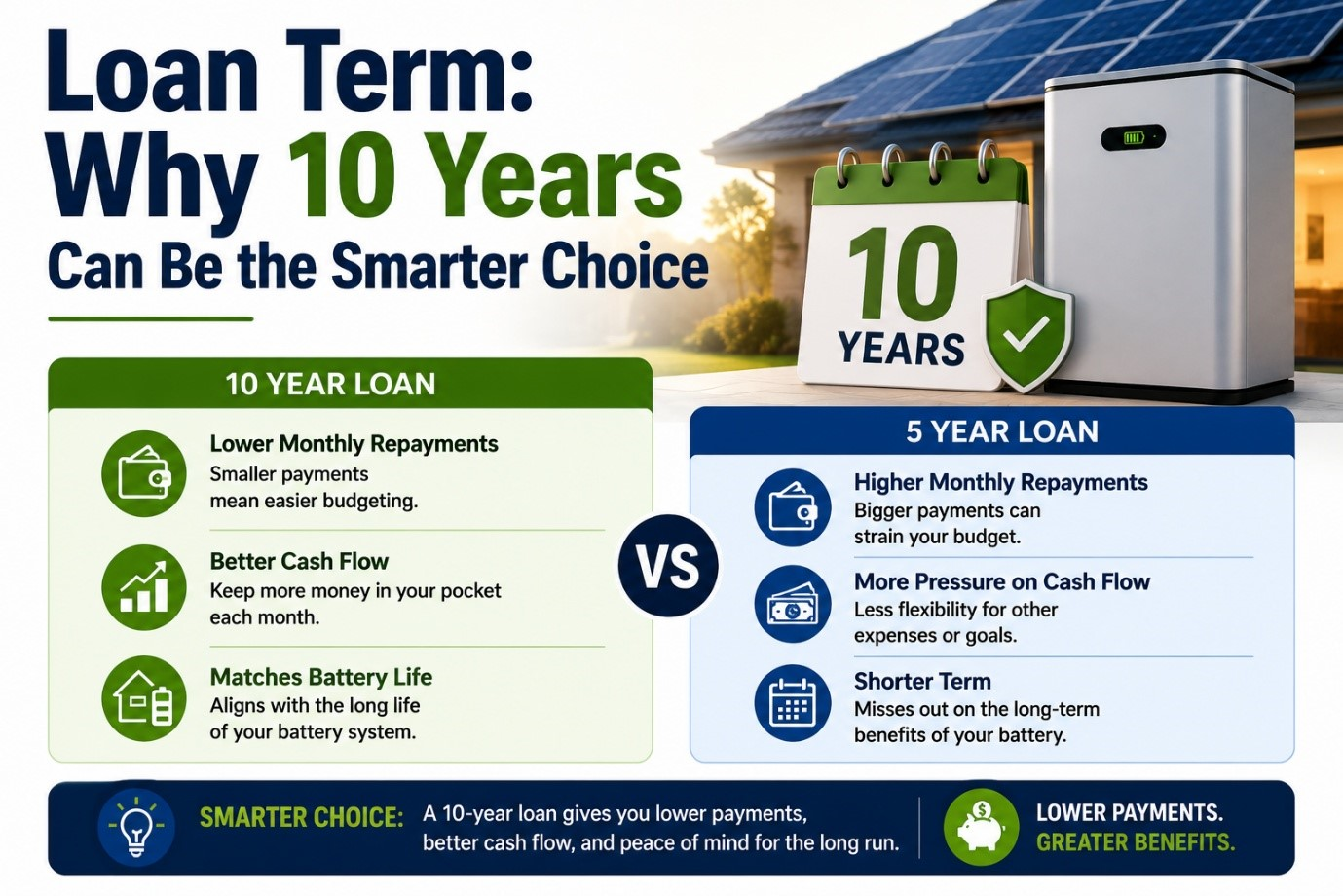
Because the loan is 0% interest for its entire term, the term length works differently here than it does for a normal loan.
A normal interest-bearing loan
The Plenti 0% loan
The Internet Connection Requirement
This is the part of the process that trips up more applications than income or credit ever does — because it’s rarely mentioned until an installer is already on site.
Both the rebate and the loan require your battery to be enrolled in an approved Virtual Power Plant (VPP) — Synergy’s Battery Rewards, Horizon Power’s Community Wave, or an equivalent approved product. Synergy’s own eligibility terms state it directly: you need “a reliable internet connection at your home” so the system can be remotely monitored and, during eligible events, orchestrated. Without it, VPP enrolment can’t be confirmed — and without VPP enrolment, neither the rebate nor the loan can proceed.
Where this actually causes problems
Most homes are fine — the battery and inverter go near the existing switchboard, well within range of the home WiFi. The problem shows up when the system has to go somewhere else: a shed, garage, or outbuilding set back from the house, where the home WiFi signal doesn’t reliably reach. The inverter can be electrically sound and fully commissioned, but if it can’t hold a stable connection back to Synergy or Horizon Power’s monitoring platform, the system can’t be verified as VPP-active — and that verification step is what triggers the rebate being released to your installer.
What Fixes It
- A WiFi extender or mesh point positioned between the house and the shed — often enough on its own if the distance isn’t extreme
- A dedicated Ethernet run from the home router to the shed, if the distance and cable path make this practical — the most reliable fix where it’s an option
- A mobile broadband / 4G-5G modem at the shed itself, using the inverter manufacturer’s cellular monitoring option where the hardware supports it — useful when running a cable isn’t feasible
Application Process & Timeline
The application is initiated by your accredited vendor, not lodged by you directly with Plenti or the WA Government.
End to end, from first quote to a commissioned, verified system, typically runs 4 to 8 weeks during busier periods — longer if a connectivity issue at the battery’s location needs resolving first. For everything else about sizing and choosing the system itself, see our battery brand comparison or our size-specific guides for 20kWh, 23.3kWh and 28kWh systems.
Frequently Asked Questions
- Who can apply for the WA interest-free battery loan?
- You must be an Australian permanent resident, 18 or older, and a Synergy or Horizon Power customer with a residential property in WA. For the loan specifically (not the rebate), your household’s combined gross annual income must be under $210,000, and you’ll need to meet Plenti’s credit assessment requirements.
- If I don’t qualify for the loan, can I still get the battery rebate?
- Yes. The WA Residential Battery Scheme rebate and the Plenti no-interest loan are two separate benefits. The rebate is not income-tested and doesn’t require a credit check. The loan is a separate, optional financing product with its own income and credit criteria. Missing out on the loan doesn’t affect your rebate eligibility at all.
- How does Plenti check my income for the loan application?
- Plenti asks for household income and employment details, typically payslips, a tax return, or a pension statement, along with a breakdown of your regular expenses and financial commitments. This is used alongside a credit check to assess borrowing capacity, similar to how a bank assesses a personal loan application.
- How do I download my Individual Tax Return from myGov?
- Sign in to myGov, select the Australian Taxation Office, click Tax, then navigate to Lodgement, Income Tax, then History. Select the relevant financial year and view details, then open the print-friendly version and save it as a PDF — on a computer using your browser’s print-to-PDF option, or on a phone using the Share/Print menu.
- How long is the Plenti battery loan term, and is a longer term better?
- The loan term runs from 3 to 10 years, chosen at application. Because the loan is 0% interest for its entire term, the total amount you repay is the same no matter which term you choose — a longer term simply spreads that same total into smaller monthly repayments. There’s no interest penalty for choosing 10 years, and no early repayment fees if your circumstances change.
- Why does my battery system need an internet connection for the rebate?
- Both the WA rebate and the Plenti loan require your battery to be enrolled in an approved Virtual Power Plant (VPP), which needs an ongoing internet connection so Synergy or Horizon Power can remotely monitor and orchestrate the system. If your switchboard or battery location is far from your home’s WiFi router — a shed at the back of a large property, for example — you may need a WiFi extender, a dedicated data connection, or a mobile broadband solution at that location before the system can be verified and the rebate released.
- When do loan repayments actually start?
- Not when you submit or are approved for the application. Repayments only begin after your system is fully installed and you’ve received the installation confirmation email. Approval and your first repayment can be several weeks apart if installation is scheduled out.
Sources & Further Reading
- Plenti: WA Residential Battery Scheme
- Plenti Help: myGov Navigation Reference (Notice of Assessment path — same menu structure as the Individual Tax Return)
- WA Government: Residential Battery Scheme — Information for Applicants
- Synergy: Battery Rewards Program Terms
- Solar Red: WA Battery Rebate Explained